Run your entire crane business.
Less admin. More jobs completed.
Eliminate 5+ disconnected legacy services and stop duplicating effort. From the field to the billing desk, Lift Office is the all-in-one AI platform built exclusively for the crane and heavy-equipment industry.
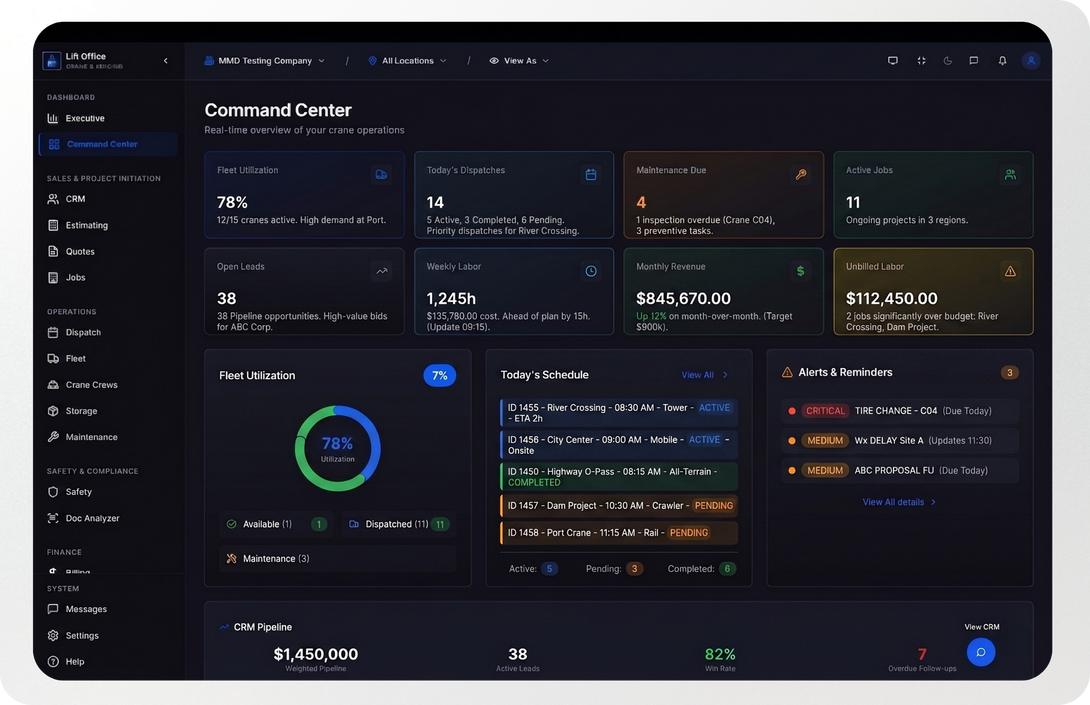
Drag it. Lift it. Bill it.
The fastest way to sync your field operations with your back office.
Drag it
Lift it
Bill it
Drag the Office.
Drag a crew onto the board. Lift Office instantly pings the operator's phone with all the job details, routing, and safety checklists. Zero phone calls needed.
Lift the field.
Your operator does the heavy lifting, taps a few buttons on a dead-simple mobile app, and signs off. No lost paper tickets in the cab of the truck, and safety dashboards update in real time.
Bill the Back Office.
The second the field signs off, the data syncs directly to your accounting software. Generate the invoice, recognize revenue instantly, and eliminate double data entry.
Next-Gen Drag-and-Drop Dispatch
Assign heavy equipment, coordinate crews, and manage active sites with intuitive simplicity.
Available Resources
Active Jobs
Downtown Highrise Lift
Drop equipment here
(Drag a resource from the left)
Industrial Park HVAC
"...the goal is to
empower the people who work at the company to do what they are experts in doing... we want to give them the tool that
lets them do their job and
not focus on
documenting their job".

Matthew Nardozza
Co-Founder
Built for the Job Site
Lift Office doesn't just digitize your paperwork—it intelligently connects every moving part of your business.
Streamlined Communication
Built-in chat connects field operators with dispatch instantly. Eliminate endless phone tag and messy SMS threads.
Safety Dashboards
Clean visual tracking for safety concerns, incidents, and equipment compliance before a job starts.
Complex Power, Simple UI
Under the hood: complex AI routing and logic. On the surface: an interface your field crew can master in minutes.
“Before Vela, approvals felt vague. Now there’s a clear moment when everything is agreed on, and I can move forward with confidence.”

Maria L.
Travel Advisor
Seamless From Ticket Filling to Billing
Your data flows effortlessly through the entire lifecycle of a job. No more manual entry.

Accounting & Invoicing
QuickBooks, Sage, etc.

Revenue Recognition
Direct financial sync
Operations & Payroll
Fleet & GPS Tracking
Seamless From Ticket Filling to Billing
Your data flows effortlessly through the entire lifecycle of a job. No more manual entry.
Accounting & Invoicing
QuickBooks, Sage, etc.
Revenue Recognition
Direct financial sync
Operations & Payroll
Fleet & GPS Tracking
Seamless.
From Ticket Filling to Billing
Effortless data flow through the entire lifecycle of a job.
No more manual entry.
Field & Office Synced
Ticket Filling to Billing
Replaces Legacy Systems
Drag & Drop Dispatch
Operations & Payroll
Fleet & GPS Tracking
Revenue Recognition
Direct financial sync
Accounting & Invoicing
QuickBooks Online, Ramp, Etc.
Why Choose Lift Office?
We Bring the Office to You.
Empower your field operators with everything they need right in their pocket, completely synced with headquarters.
Zero Double Data Entry:
One digital field ticket instantly becomes your final billing record. Stop transcribing paper.
Quiet the Noise:
Direct communication between field sales and dispatch eliminates thousands of unnecessary phone calls and emails.
Ticket Filling to Billing:
Field actions automatically sync with your entire backend stack—including fleet tracking, payroll, and accounting systems like QuickBooks or Sage.
Industrial Power, Mobile Ease
One digital field ticket instantly becomes your final billing record. Stop transcribing paper.

Real-Time Safety Sync:
Field safety concerns push instantly to clean, integrated dashboards monitored directly by the office.
HR Management
Maintain your employee information all in one place -- with seamless sync between Lift and your preferred payroll system.
Command your workday with absolute clarity.
Your workflow requires focus.
Our light interface provides a clean, crisp environment built for daytime productivity.
It gives you the high-contrast clarity you need to move fast, collaborate easily, and get things done without the visual clutter.

Command Your Workday
Our light interface provides a clean, crisp environment built for daytime productivity.
It gives you the high-contrast clarity you need to move fast, collaborate easily, and get things done without the visual clutter.
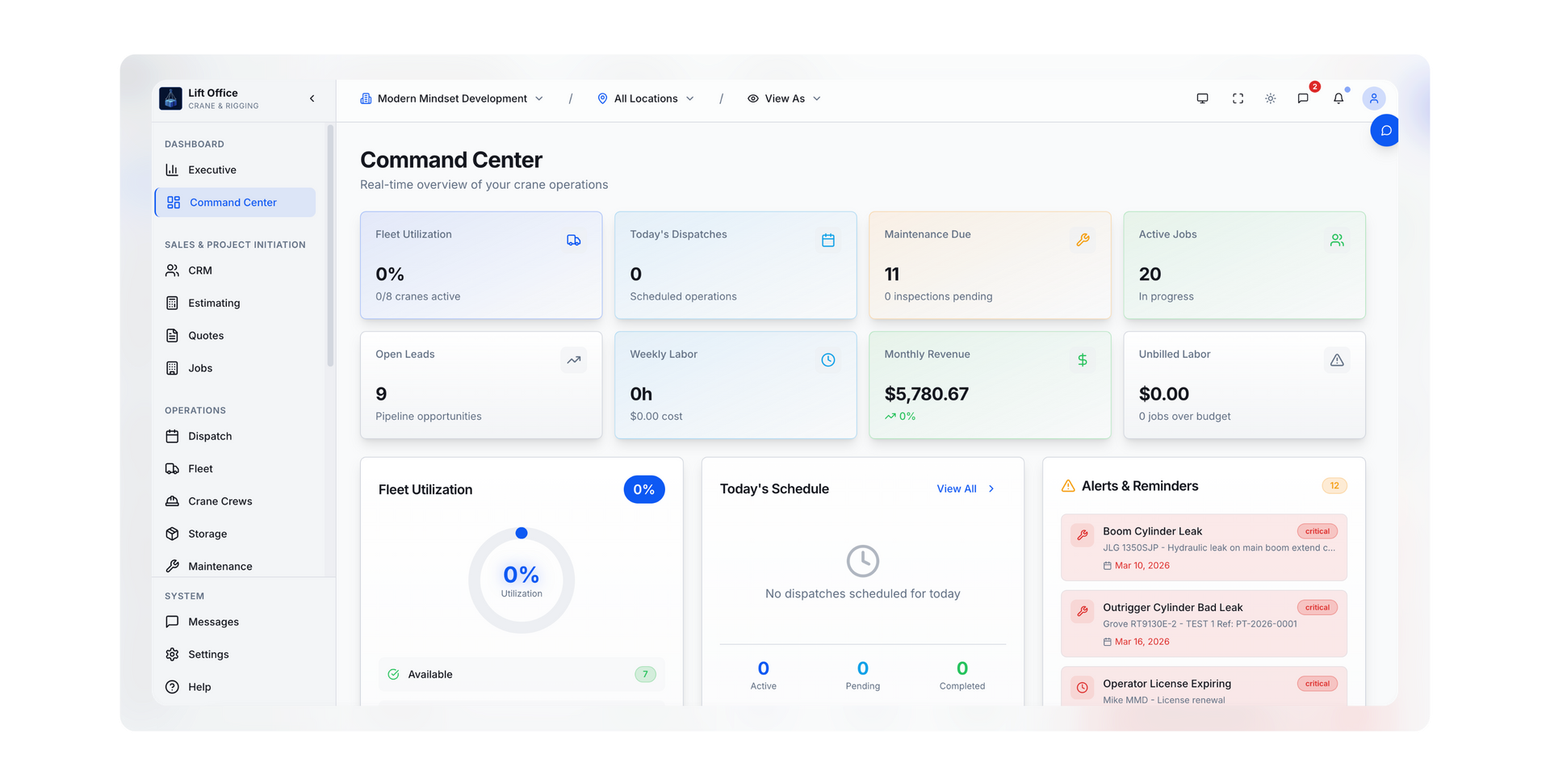
And a Dark Mode for everything else.
We're with you in the field anytime, from morning until night
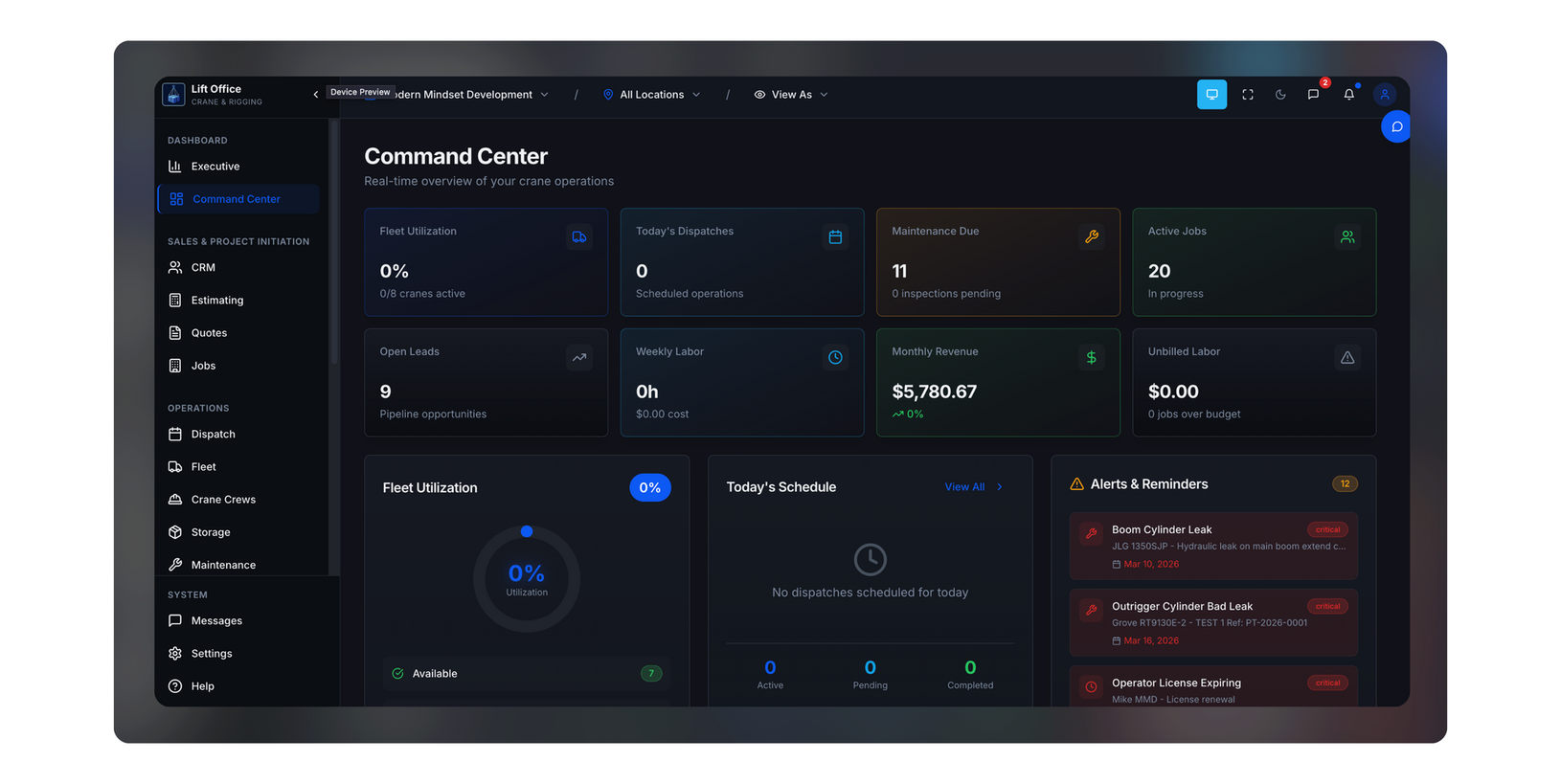

And a dark mode for everything else.
Your workflow requires focus.
Our light interface provides a clean, crisp environment built for daytime productivity. I
t gives you the high-contrast clarity you need to move fast, collaborate easily, and get things done without the visual clutter.
- Sharp visibility: Designed to keep your data clear and readable in fully lit environments.
- Frictionless design: An intuitive layout that stays out of your way so you can focus on the work.
Why Choose Lift Office?
We Bring the Office to You.
Empower your field operators with everything they need right in their pocket, completely synced with headquarters.
Zero Double Data Entry:
One digital field ticket instantly becomes your final billing record. Stop transcribing paper.
Quiet the Noise:
Direct communication between field sales and dispatch eliminates thousands of unnecessary phone calls and emails.
Ticket Filling to Billing:
Field actions automatically sync with your entire backend stack—including fleet tracking, payroll, and accounting systems like QuickBooks or Sage.
Industrial Power, Mobile Ease
One digital field ticket instantly becomes your final billing record. Stop transcribing paper.
Real-Time Safety Sync:
Field safety concerns push instantly to clean, explosive dashboards monitored directly by the office.
Secure Your Slot & Join the Launch
Live Class Demo happening in July:
Join our live demo!
www.youtube.com/****
Unlock Gated Demo
Get immediate access to our technical walkthrough videos.
Contact Us
We will get back to you as soon as possible.
Please try again later.
We got it.
Thank you for contacting us.
We’ll get back to you as soon as possible.
Frequently asked questions
What if my operators lose cell service on a remote job site?
Lift Office includes offline access so field teams can keep working, even without a signal. Everything syncs once they're back online.
Does this connect to our current accounting software?
Yes, Lift Office features real-time invoice syncing, PDF generation, and aging reports through QuickBooks Online.
How does Lift Office handle job site visibility?
The platform features geo-tagged check-ins so you can see when and where crews check in to jobs for better accountability. It also includes smart weather alerts that automatically check forecasts and alert teams of weather delays before they happen.
Can we manage customer quotes in the same system?
Lift Office includes built-in CRM capabilities alongside automated quoting, allowing you to create accurate, branded quotes in minutes. You can then convert approved quotes into invoices instantly without re-entry.
Who actually owns the data?
You do. Unlike quick-build platforms, you control the data, and you work with people who are in it with you for the long term.
Stop chasing paper tickets.
Start scaling your fleet.
Ditch the generic software. Get a dispatch system that actually works the way you do.